
HeaderLume
Email header forensics for Mac.
Reads pasted headers, .eml files and .mbox archives on your Mac: every Received hop in order, the authentication results the message recorded, and PDF analysis certificates for what you find. Two outside lookups run by default, a third only with your own VirusTotal key, and one switch turns them all off.
Paste raw headers or open an .eml file to see the sender, recipient, originating IP, every Received hop in order, attachments, extracted URLs and the raw headers.
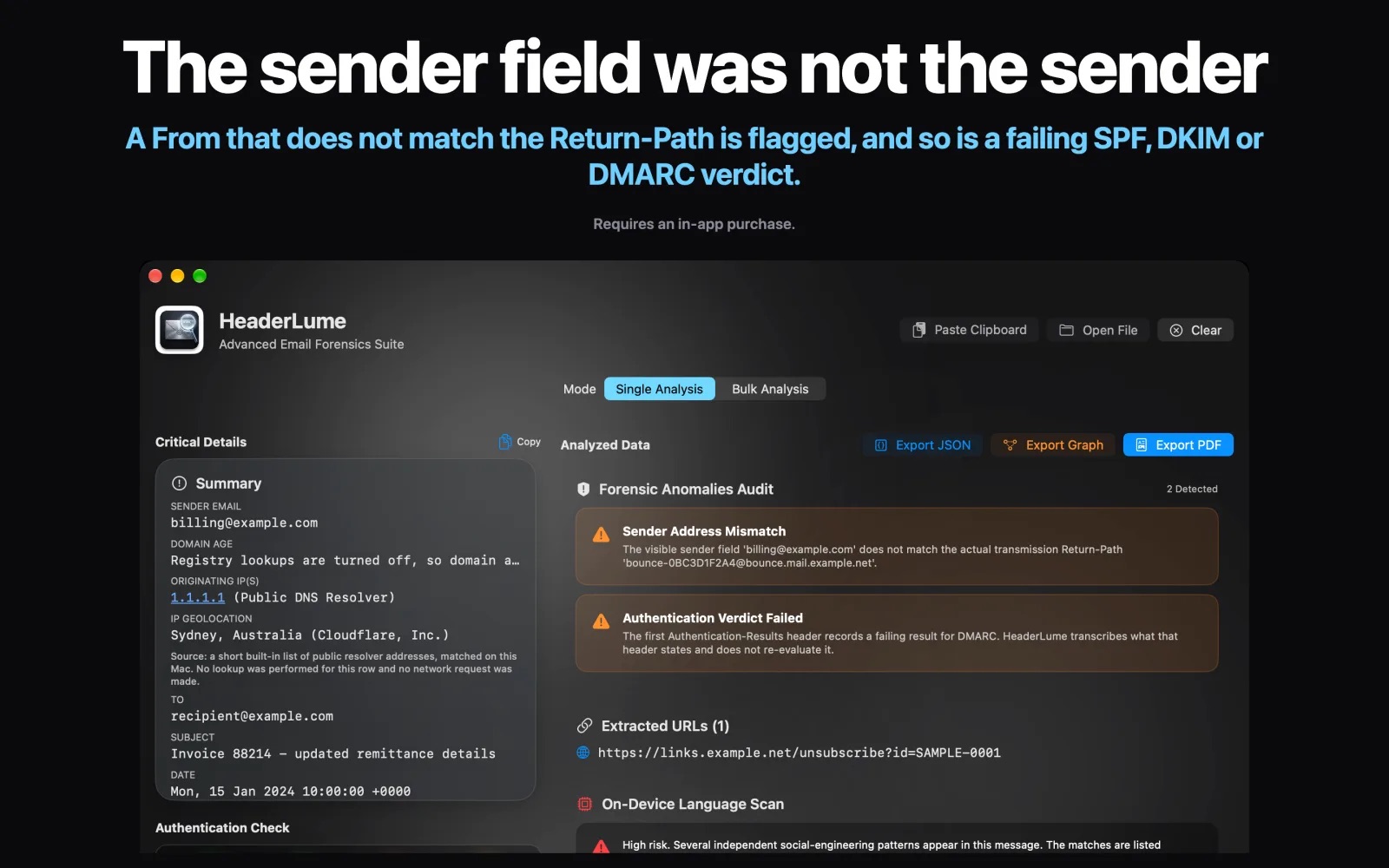
Shows the SPF, DKIM, DMARC and ARC results recorded in the message’s first Authentication-Results header as pass, fail or unknown. HeaderLume transcribes them. It checks no signatures and no DNS records.
Flags a From that does not match the Return-Path, a failing recorded authentication result, and a hop timestamped earlier than the one before it. An on-device language scan, English only today, lists social-engineering phrasing one match per row.
Places relay hops on an Apple Maps view where ipwho.is returns a location for a hop’s address, and exports a summary graph (origin IP, sender domain, recipient) as a PNG. The map shows each lookup’s location, not a measured path.
Analyzes a folder of .eml files or an .mbox archive into one sortable table, then exports CSV or an e-discovery ZIP with Concordance DAT and Opticon OPT load files (one PDF per document). Archives are memory-mapped, so a multi-gigabyte .mbox does not have to fit in memory.
A PDF of the message’s key details, authentication results, anomalies, attachments, URLs and all headers, with the examiner details you enter in Settings. Embedding the original message as a file attachment, with the MD5, SHA-1 and SHA-256 of those exact bytes printed on the page, is a choice on each export.
Zero Telemetry is off by default: Simple Setup leaves outside lookups on. On each single-message analysis, HeaderLume sends the hop IP addresses to ipwho.is and the sender’s domain to rdap.org, which redirects to that domain’s registry (rdap.verisign.com for .com). If you save your own VirusTotal key, each attachment’s SHA-256, never the file, goes to VirusTotal. Bulk analysis and exports make no outside lookups. Each lookup has its own switch in Settings, and one Zero Telemetry switch turns all three off. Two things sit outside that switch: macOS contacts the App Store for your license, and macOS may fetch Apple Maps imagery to draw the routing map (with Zero Telemetry on, only when a hop is one of six built-in public resolver addresses). A registry link opens search.arin.net in your browser, not in the app. The message itself is never uploaded, and HeaderLume has no accounts, analytics or crash reporting.
The free download opens the interface only (onboarding, Settings, About and the User Guide). Every analysis, bulk run and export needs Premium (Annual), an auto-renewing subscription, or the one-time Genesis Partner License, which unlocks the same features.
US prices; other regions vary. Educational, military, and first-responder discounts apply; see Academic & Service Discounts.