
OverWrite
Overwrite external drives. Keep a signed record.
Disk sanitization for macOS in two editions. The Mac App Store edition deletes a drive’s files and overwrites its free space from the App Sandbox. Overwrite Elite, a direct download, overwrites every block the Mac can address and can read the drive back.
Overwrite works on external and removable media only. The disk your Mac runs from is never listed, and Elite’s helper refuses any disk the running system depends on and accepts only removable or ejectable media.
The App Store edition deletes the drive’s files, then overwrites all of its free space through the file system, from inside the App Sandbox. It accepts APFS, ExFAT and Mac OS Extended drives.
In Full Disk mode, Elite force-unmounts the drive, overwrites every block the Mac can address through the raw block device, and rebuilds it to the format and name you chose.
On a multi-pass Full Disk wipe, Elite can read the drive back after the last pass: a 1% or 10% spot-check, or every block, with the measured coverage printed on the certificate. It is off by default, and a single-pass zero fill is never reported as verified.
Both editions, by default, sign the certificate on your Mac with an ECDSA P-256 key. The App Store edition’s states that no read-back was performed. Elite’s has two pages and can be checked with the free overwrite-verify tool, which needs no license and no network.
A 1-pass zero fill, or 3, 7 or 35 passes of fresh random data. The multi-pass options are not the DoD 5220.22-M or Gutmann patterns, and neither certificate asserts a NIST SP 800-88 category.
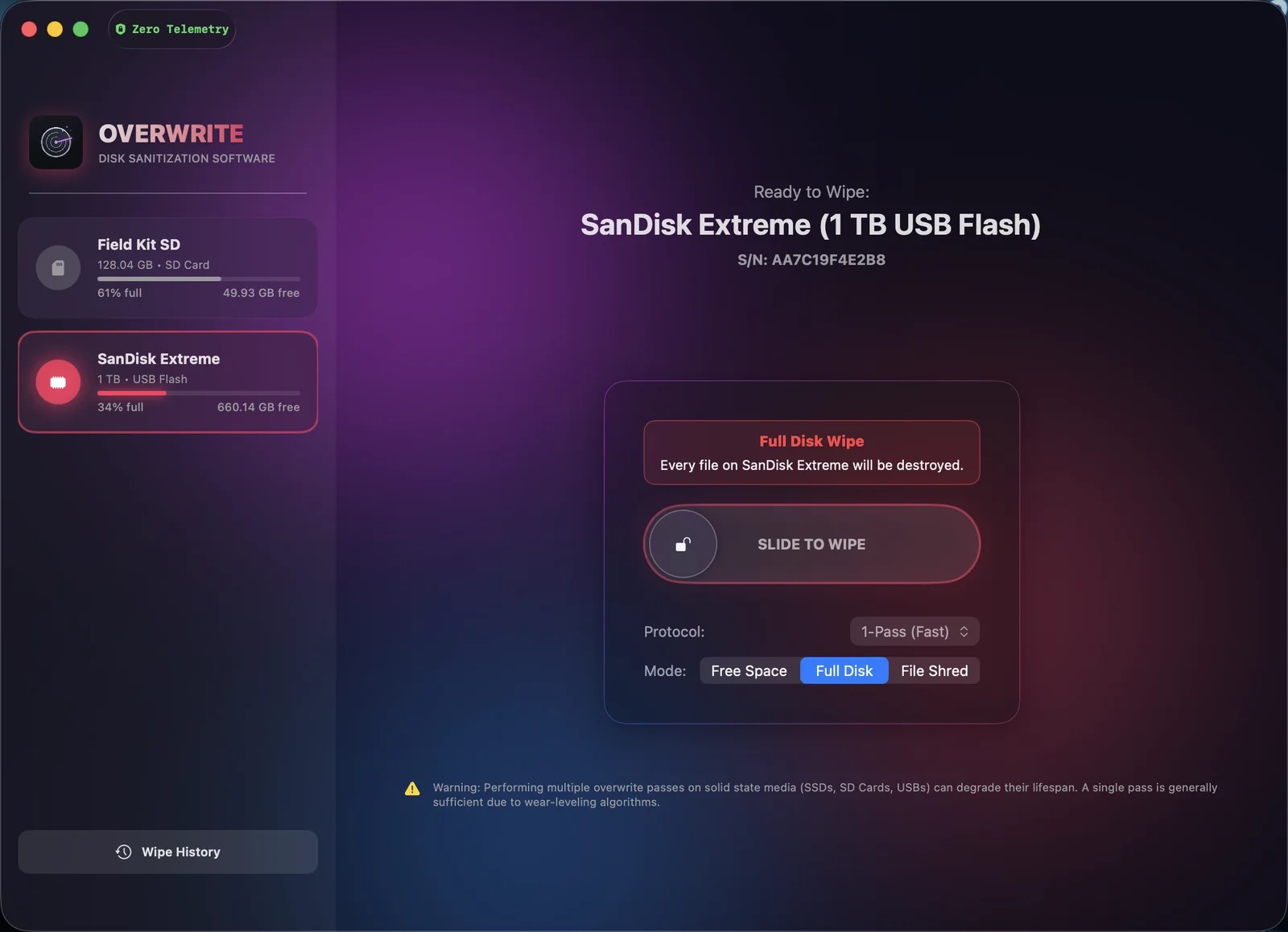
Neither edition has analytics, crash reporting or an account, and nothing about your drives, files or wipe logs is sent to ProfWorkBench. The App Store edition is sandboxed, and its only outside connection is Apple’s StoreKit, which checks your purchase with the App Store. Overwrite Elite is not sandboxed, and it makes three disclosed connections. A Sparkle update check runs automatically by default, about once a day, and whenever you choose Check for Updates, and sends the app version and macOS version. License activation goes through Lemon Squeezy and sends your license key and a one-way hash of the Mac’s serial number and hardware UUID; the key is re-checked on later launches, with a 14-day offline grace period, and ProfWorkBench can see your order and the email address you gave when you bought. While certificate sealing is on (the default), a 32-byte hash goes to OpenTimestamps. None of the three carries your files, your drives or your wipe logs, and each is listed in the app.
Preview opens every screen but does not wipe. Annual Pro has a first-year introductory price of $9.99 in the U.S. Pro is billed by Apple through the Mac App Store.
Elite is signed, notarized and sold directly by ProfWorkBench, with checkout handled by Lemon Squeezy. It is not on the App Store, because a sandboxed app cannot install the helper Elite needs.
Educational, military, and first-responder discounts apply; see Academic & Service Discounts.