
WADL Builder
AI use, stated in one line.
WADL Builder makes a Wandt AI Disclosure Label on your device: three codes for what the AI did, how it was checked, and what was kept. WADL is a disclosure framework, not an AI detector.
P is what the AI did, V is how it was checked, and R is what was kept. For example, WADL v1.0: P2-V2-R2.
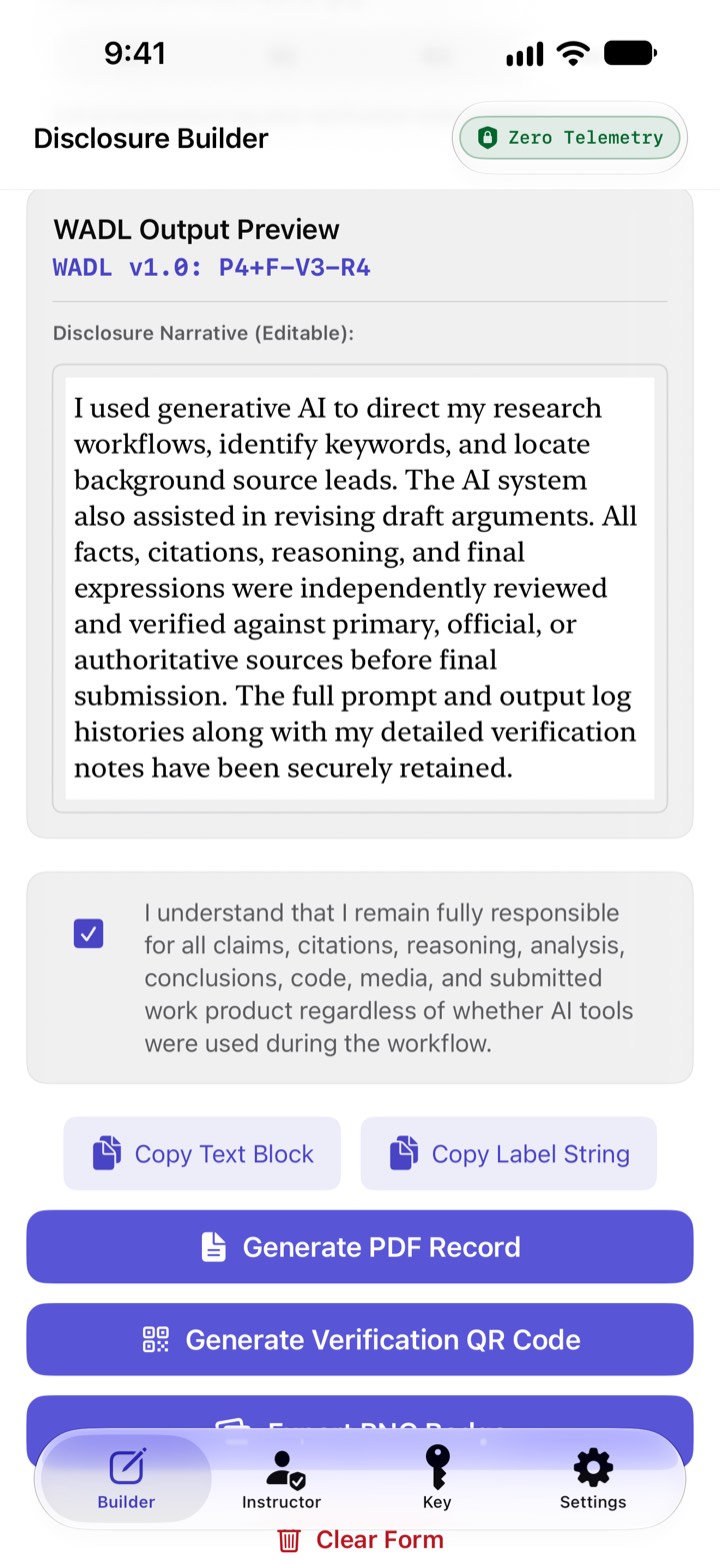
Pick what the AI did, name the tools, and set the checking and records levels. WADL Builder drafts a narrative for you to edit, then asks you to confirm that you remain responsible for the work.
Copy the label or the full disclosure, or export a PDF record, a PNG badge, or a QR code that opens the disclosure on usewadl.org.
State an assignment’s AI rules in the same codes. Start from one of eight presets, then copy the result as plain text or as Brightspace HTML.
A label is the author’s own account of how the work was made, and nothing in the app verifies it. The report at usewadl.org checks only whether a disclosure conforms to WADL v1.0.
WADL v1.0 is published at usewadl.org under CC BY 4.0, with a JSON schema, and is under active refinement. The Key tab in the app explains every code.
Zero Telemetry. WADL Builder is built without network code: its source contains no networking or remote-content API, and it has no account, no sign-in and no purchases. Nothing about you or your use of the app is transmitted to ProfWorkBench, and it reads none of your files, photos or contacts. Three things can still reach outside the app, each when you act. Scanning one of its QR codes opens usewadl.org with the whole disclosure inside the link (the narrative, the tool list, the assignment title and the course name); that needs the internet, and Cloudflare, which hosts the site, may keep the link in its request logs. Text you copy may reach your other Apple devices through the clipboard. Links to profworkbench.com open in your browser when you tap them. WADL Builder keeps no history, and Clear Form and quitting leave nothing behind.
No subscription and no ads. Requires iOS 26 or iPadOS 26, or macOS 26 on an Apple-silicon Mac, where it runs as an iPhone and iPad app. The app and its listing are in English only.